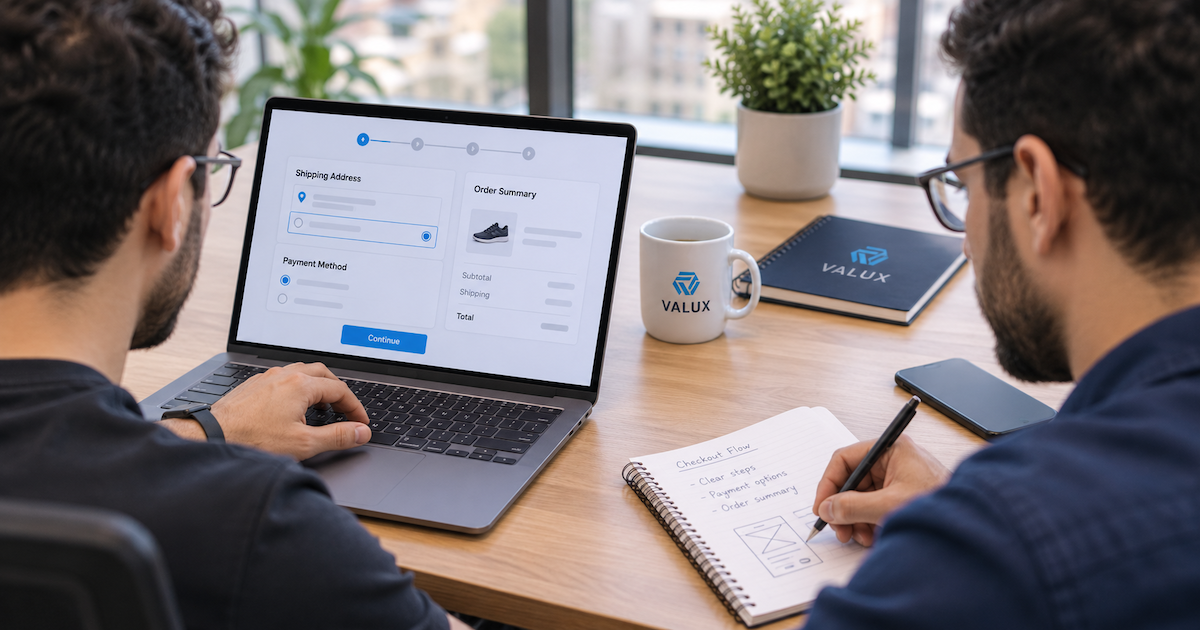
Most teams ship an interface they believe is obvious, then watch real users stumble on it in the first minute. The gap between what the team understands and what a new visitor understands is the most expensive blind spot in product work, and it is also one of the cheapest to close.
Usability testing does not need a lab, a research department, or a big budget. A script, five or six real users, and a few hours of focused observation will surface most of the problems that quietly cost you sign-ups, orders, and support tickets. We run these sessions on almost every product we design at Valux, and the pattern is the same each time.
In this guide, you'll learn:
- Which usability testing method fits your stage and budget
- How to recruit participants and write tasks that reveal real problems
- How to turn raw observations into a short, prioritized fix list
Let's start with why this is worth your time.
Table Of Contents
1. Why Usability Testing Pays for Itself
Fixing a confusing checkout flow in a prototype takes an afternoon. Fixing it after launch means a code change, a release, a regression pass, and weeks of lost conversions in the meantime. The earlier you watch a real person use the product, the cheaper every discovery is.
Testing also settles arguments. Design debates between stakeholders tend to run on opinion until someone watches three users fail to find the same button. After that, the conversation is about the fix, not about whose taste wins.
Pro Tip: Invite the whole product team to observe at least one session live. Seeing a user struggle is far more persuasive than reading a report about it.
2. Choose the Right Method
You do not need one method for every situation. Pick based on what you are trying to learn and how far along the product is.
| Method | Best for | Effort |
|---|---|---|
| Moderated, in person or remote | Understanding why users get stuck | Medium |
| Unmoderated remote | Quick checks on specific tasks | Low |
| Guerrilla testing | Early prototypes, fast feedback | Very low |
| A/B testing | Comparing two live designs with real traffic | High |
For most small teams, moderated remote sessions over video call are the best default. You get the user's screen, their voice, and the chance to ask a follow-up question at the exact moment of confusion.
2.1 When to test with a prototype
Test a clickable prototype as soon as the main flow exists. Changing a frame costs minutes. Changing shipped code costs sprints.
2.2 When to test live
Once the product is live, test the flows that carry revenue first: sign-up, checkout, onboarding, and anything that generates support tickets.
3. Recruit the Right Participants
A test with the wrong people produces confident, wrong conclusions. Recruit users who match your real audience, not colleagues, friends, or the developers who built the feature.
Classic research by Jakob Nielsen and Thomas Landauer suggests that around five users uncover most of the major usability problems in a single design. Treat that as a rule of thumb, not a guarantee. If you serve distinct audiences, such as buyers and admins, test five with each group.
Practical places to find participants:
- Your existing customer list or newsletter
- Social and professional communities where your audience gathers
- A short screener survey on your website
- A recruitment panel, when you need a niche profile quickly
Offer a fair incentive. A gift card or a service credit is usually enough, and it keeps no-show rates low.
4. Write a Task Script That Works
The script is where most tests succeed or fail. Good tasks are realistic goals, not instructions.
A weak task: "Click the Pricing link and find the Pro plan." This tells the user exactly where to go.
A strong task: "You want to move your team of ten onto a paid plan. Find out what it would cost." This lets the user choose their own path, which is the whole point.
Keep these rules in mind:
- Limit the session to 4 to 6 tasks so the user does not tire.
- Order tasks from the most common to the most advanced.
- Define success for each task before the session, so you score it consistently.
- Avoid interface words in the task wording. If the button says "Subscribe," do not say "subscribe."
Run one pilot session with a colleague to catch ambiguous wording before real participants arrive.
- 1PlanGoals and tasks
- 2Recruit5 to 8 users
- 3Test45 minutes each
- 4SynthesizeGroup by issue
- 5Fix and retestTop 3 problems
Illustrative example
5. Run the Session Without Leading
Your job as the moderator is to observe, not to help. Start by explaining that you are testing the product, not the person, and that there are no wrong answers.
Ask users to think aloud. Their running commentary reveals expectations that clicks alone never show. When they go quiet, a neutral prompt such as "What are you thinking right now?" is enough.
When a user asks "Should I click this?", resist the urge to answer. Reply with "What would you do if I were not here?" Silence feels awkward, but it is where the best insights appear.
Record every session, with permission, and note three things for each task: whether the user succeeded, how long it took, and the exact words they used when confused.
Pro Tip: Never defend the design during a session. The moment you explain why something works the way it does, the user stops telling you the truth.
6. Turn Findings Into Fixes
Raw notes are not a result. Within a day of the last session, put every observation on a shared board and group them by the problem they point to, not by the participant who hit them.
Then rate each problem on two axes: how many users hit it, and how badly it blocked the task. A problem that stopped four of five users from completing checkout outranks a cosmetic annoyance every time.
A simple severity scale keeps the team aligned:
- Critical: the user could not complete the task
- Serious: the user completed it with significant struggle
- Minor: the user noticed it but moved on
Fix the top three problems, then retest. A small, repeated cycle beats one large annual study. Over a few rounds the product gets measurably easier, and the team builds a habit of designing with evidence instead of assumptions.
7. Frequently Asked Questions
How many users do I need for a usability test?
Around five users per distinct audience group will reveal most major problems in a design. Test more only if you serve very different user types or need statistical confidence.
How long does a usability test take?
A full round can run in one week: a day to plan, two to recruit, two for 45-minute sessions, and a day to synthesize findings and agree on fixes.
What is the difference between moderated and unmoderated testing?
In moderated testing a facilitator watches live and asks follow-up questions. In unmoderated testing users complete tasks alone and are recorded. Moderated sessions explain why, while unmoderated ones are faster and cheaper for simple checks.
Can we test before the product is built?
Yes. A clickable prototype is enough to test the main flow, and it is the cheapest point to find and fix problems.
Conclusion
Usability testing is the highest-leverage habit a small product team can adopt. Choose a method that fits your stage, recruit people who resemble your real users, write tasks as goals, stay quiet during sessions, and turn what you see into a short list of fixes. Then do it again next month.
Teams that test regularly stop guessing, and their products show it in conversion, retention, and support volume.
💬 When did you last watch a real user try your product, and what surprised you most?


Comments