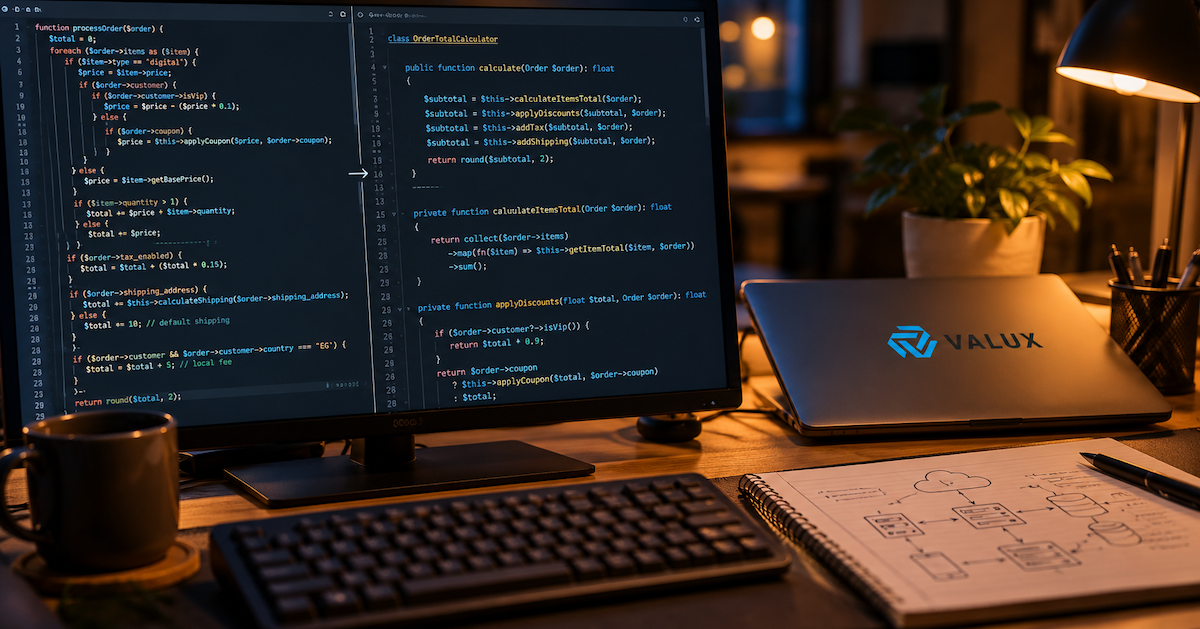
Every company has that one system nobody wants to touch. It runs payroll, or orders, or customer records, and it has been running since before half the team joined. It works, mostly. But every new feature takes three times longer than it should, and the one developer who understands it just gave notice.
The cost of waiting grows quietly. Security patches stop arriving, integrations get harder, and hiring people willing to work on outdated stacks gets more expensive each year. The good news is that modernization does not have to mean a risky, all-or-nothing rewrite.
In this guide, you'll learn:
- How to recognize when a legacy system has become a business risk
- Which modernization strategy fits your situation, and which to avoid
- How to migrate data and teams without stopping the business
We have helped teams move off aging platforms, and the patterns below are the ones that consistently work.
Table Of Contents
1. Why Legacy Systems Become a Liability
Age alone is not the problem. A stable ten-year-old system that is well documented and regularly patched can be a perfectly good asset. The trouble starts when three things combine: the technology is unsupported, the knowledge lives in a few heads, and the business has outgrown the original design.
At that point, every change carries hidden risk. Nobody is sure what a small edit will break, so releases slow down, and the system quietly dictates what the business can and cannot do.
Pro Tip: Measure the cost of delay, not just the cost of maintenance. Track how long a typical change takes from request to production. That number is usually the strongest argument for modernizing.
2. Signs It Is Time to Modernize
You rarely need a formal audit to see it. Look for these patterns:
- Vendor or framework support has ended, and security patches no longer arrive
- Simple changes need weeks of regression testing because nothing is automated
- Only one or two people understand how the system works
- Integrations with payment, shipping, or analytics tools require fragile workarounds
- Performance degrades under load that the business now considers normal
Two or three of these together is a strong signal. One alone may only call for targeted refactoring.
3. Choosing a Modernization Strategy
There is no single right answer. The main options trade speed against long-term value:
| Strategy | What it means | Best for | Main risk |
|---|---|---|---|
| Rehost | Move to cloud infrastructure as is | Fast exit from aging hardware | Keeps all existing code problems |
| Refactor | Clean up and restructure existing code | Systems with a sound core design | Can stall without clear scope |
| Replatform | Swap key components, such as the database or framework | Moderate gains at moderate cost | Partial benefit only |
| Rebuild | Rewrite from scratch | Systems that no longer fit the business | Long timeline, high risk |
| Replace | Adopt an off-the-shelf product | Non-differentiating functions | Loss of custom workflows |
Our default advice is to avoid the full rewrite unless the system is truly beyond saving. Big-bang rewrites tend to run long, lose subtle business rules, and deliver nothing until the very end.
4. The Strangler Fig Approach in Practice
The strangler fig pattern replaces a system piece by piece. New functionality is built alongside the old system, traffic is routed gradually to the new parts, and the legacy code shrinks until it can be switched off.
- 1MapIdentify modules and dependencies
- 2WrapPlace a routing layer in front
- 3ReplaceRebuild one module at a time
- 4RouteShift traffic gradually
- 5RetireSwitch off old code
Start with a module that is valuable but low risk, such as reporting or notifications. A quick, visible win builds trust and teaches the team how the migration process works before you touch core transactions.
5. Protecting Your Data During Migration
Data is the asset that outlives every codebase, so treat it with the most care. Legacy databases usually contain inconsistent formats, duplicate records, and fields whose meaning only one person remembers.
- Profile first. Analyze the data before designing the target schema.
- Migrate in rehearsals. Run the full migration several times in a staging environment and compare record counts and checksums.
- Run in parallel. Keep old and new systems in sync for a period, so you can roll back if something unexpected shows up.
- Plan the cutover. Pick a low-traffic window and define clear rollback criteria in advance.
Pro Tip: Write down every business rule you discover in the old data. These undocumented rules are what most often break after a migration.
6. Managing Risk and Team Change
Technology is only half of modernization. Users have workflows built around the old system, and your team has habits built around its quirks.
Involve the people who use the system daily from the start. Add automated tests around existing behavior before changing anything, so you can prove the new version behaves the same. Release in small increments, and keep a visible record of what has moved and what remains.
Finally, be honest about capacity. If your team is busy running the business, bringing in an experienced partner for the migration itself, while your people keep the domain knowledge, is often the fastest and safest route.
7. Frequently Asked Questions
How long does legacy system modernization take?
It depends on size and strategy. A rehost can take weeks, while an incremental migration of a core business system often runs from several months to over a year. The advantage of incremental work is that value arrives throughout, not only at the end.
Should we rewrite or refactor our legacy system?
Refactor or migrate incrementally when the core design is sound or the business rules are complex. Consider a rebuild only when the technology and architecture can no longer support the business, and even then, phase it.
Can we modernize without downtime?
Usually yes. Running old and new systems in parallel, routing traffic gradually, and rehearsing the data migration in staging lets you cut over in a short, planned window with a clear rollback plan.
How do we know the new system behaves like the old one?
Add automated tests around the existing behavior before changing it, then run those same tests against the new components. Comparing outputs from both systems on real data during a parallel run adds further confidence.
Conclusion
Modernizing a legacy system is less about technology fashion and more about removing risk and restoring the ability to move fast. Choose the smallest strategy that solves the real problem, migrate incrementally, protect your data, and bring your people along.
The next time a simple change takes a month, treat it as a signal rather than an annoyance.
💬 Which system in your company is the one nobody wants to touch, and what is stopping you from changing it?



Comments